Getting Started
-
Quit drinking for at least an hour man. An hour…thats all we are asking.
-
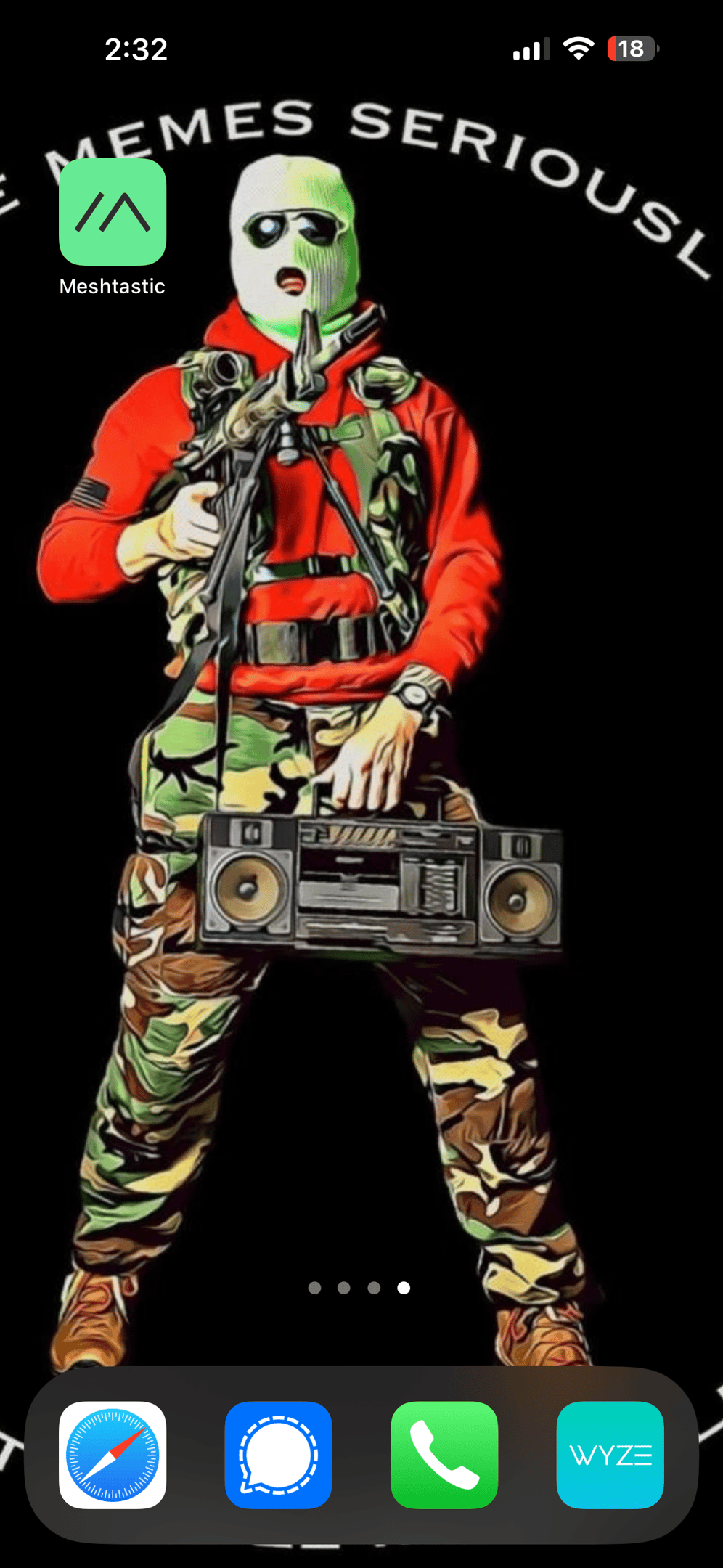
Open the app on your phone. It’s the icon on the left next to Friendship Bob’s head.
Connect to a Radio
-
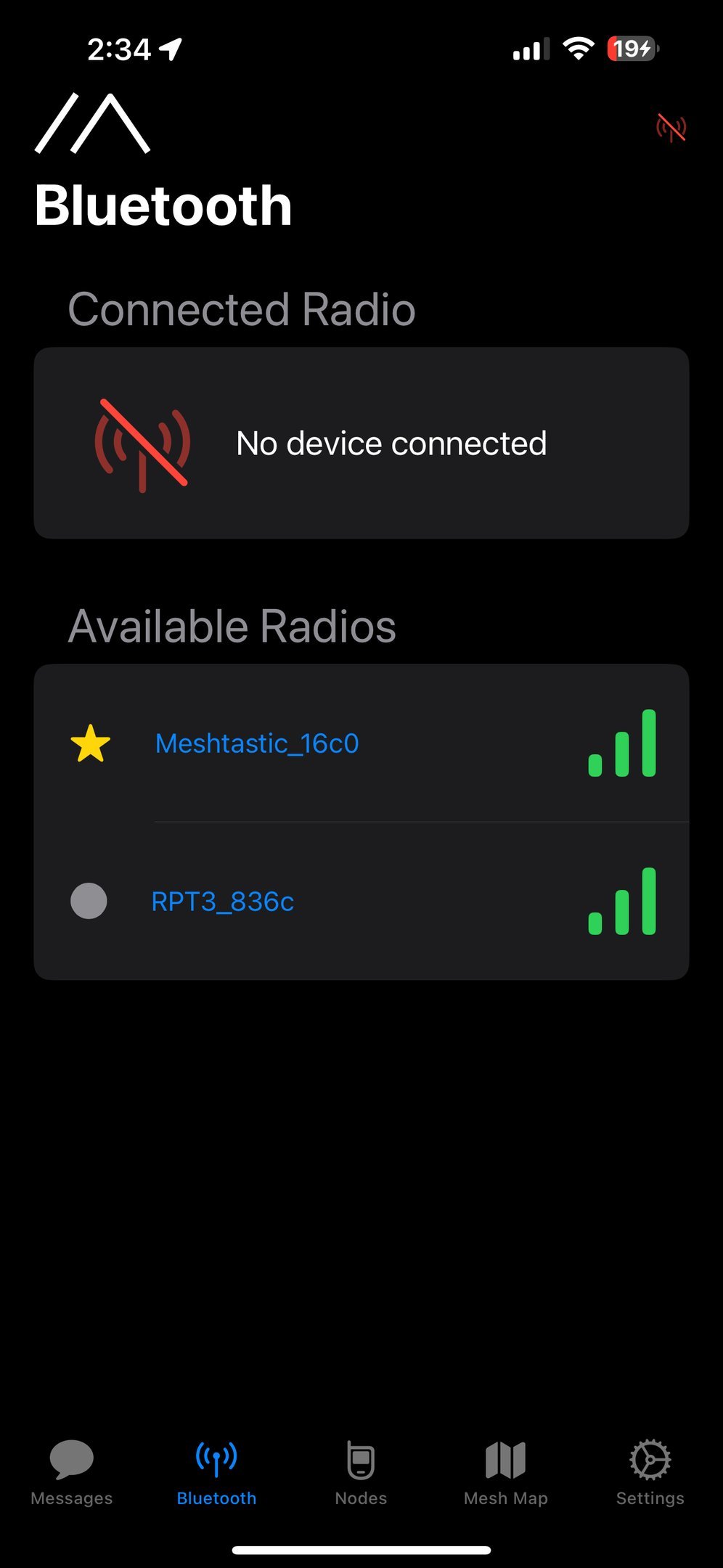
Connect to your new TypeX radio.
-
If it asks for a password, it’s 123456. You can change it later, but it’s easy to remember since it’s the same combination on your luggage.
Set your Region
-
Bet you wish you had that 18E sat there still.
-
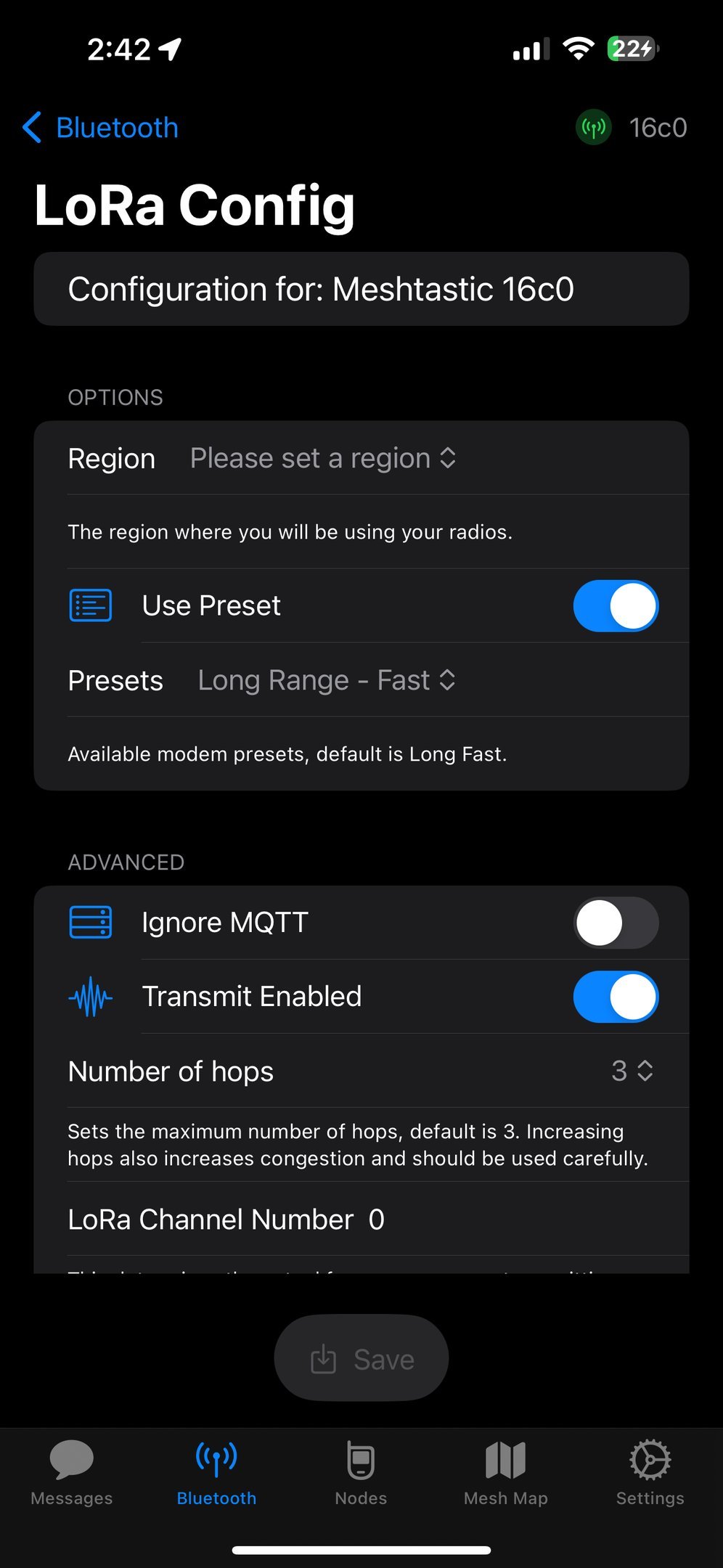
Click on Set LoRa Region, and pick your region.
-
Our radios only work in the US unless you special order them for other regions. If you set a different region, chances are your radio will still work but it will perform like crap because the power will be reduced.
-
The radio will reboot and come back up on the right region.
-
IF YOU HAVE A TYPE1, YOU CAN TURN ON THE TRANSMITTER AFTER INSTALLING THE ANTENNA! CLICK TRANSMIT ENABLED!
Rock your Callsign
-
Click on Settings
-
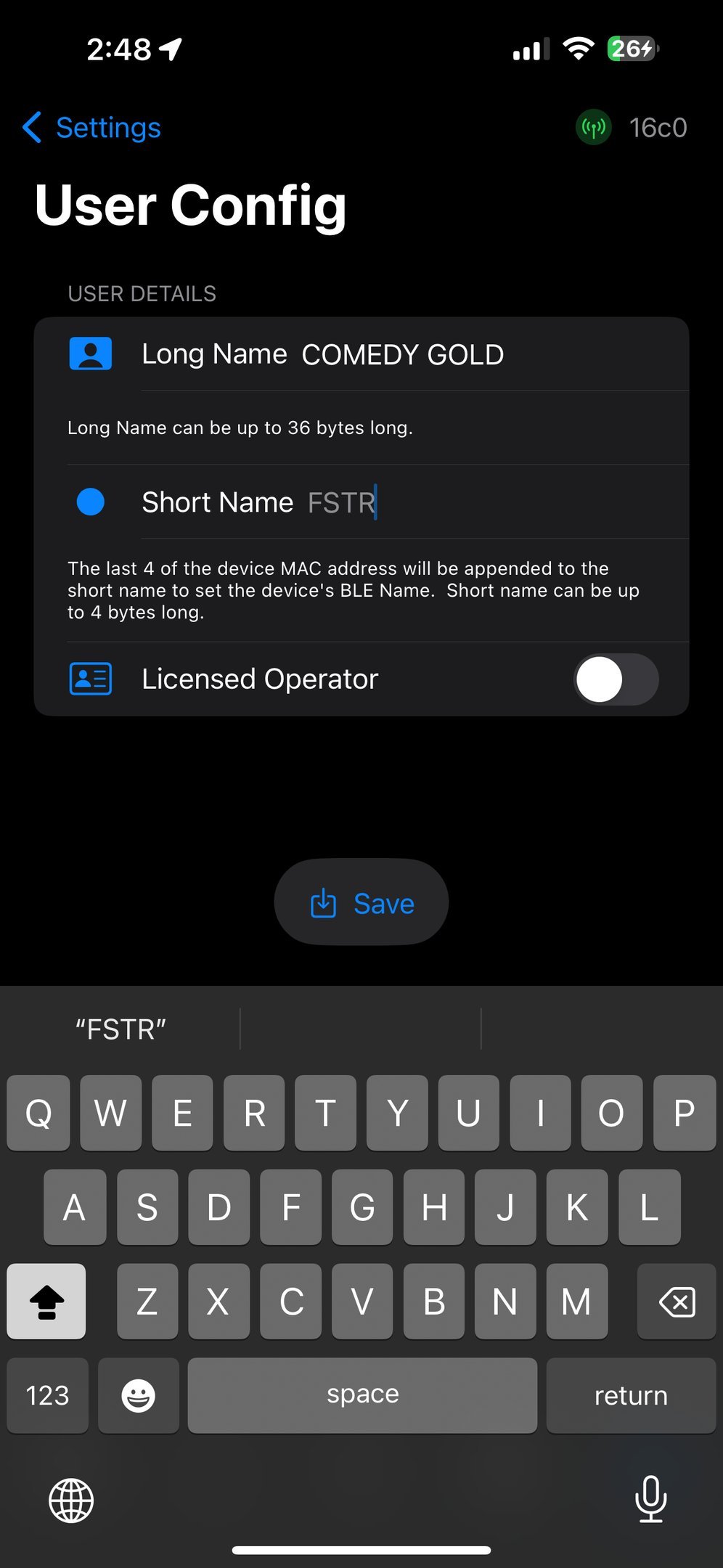
Go to User.
-
Change the long and short names to something you like and hit Save.
-
RADIO REBOOTS AGAIN.